Two-factor Authentication
St. Clair County Community College is transitioning from Duo Security to Microsoft Multi-Factor Authentication (MFA) to better integrate with our Microsoft 365 environment and strengthen account security.
Microsoft MFA will provide the same protection you are used to, while offering improved reliability, easier management, and a more seamless experience when signing in to SC4 systems such as email, Teams, OneDrive, and the SC4 Portal.
What This Means for You
- Duo will no longer be used for SC4 logins once the transition is complete
- You will use the Microsoft Authenticator app or receive a one-time passcode instead
- Your sign-in process will remain quick and familiar
Important Dates
- Enrollment Period: January 19 – February 1
- Microsoft MFA Enforcement Begins: February 2
What You Need to Do
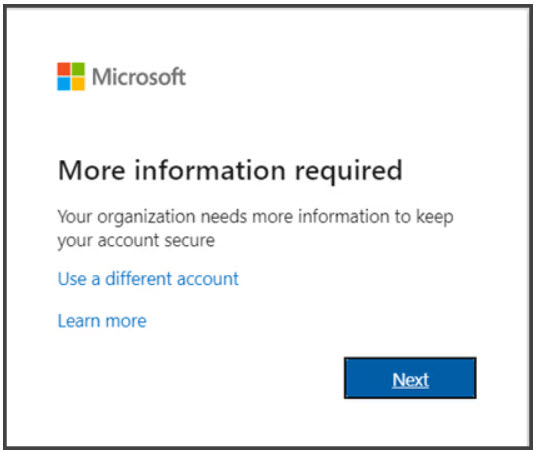
- Sign in to Microsoft 365 with your work or school account and your password like you normally do. After you choose Sign in, you’ll be prompted for more information.
- Choose Next.
- The default authentication method is to use the free Microsoft Authenticator app. If you have it installed on your mobile device, select Next and follow the prompts to add this account. If you don’t have it installed there is a link provided to download it.
If you would rather use SMS messages sent to your phone instead, select I want to set up a different method. Microsoft 365 will ask for your mobile number, then send you an SMS message containing a 6-digit code to verify your device. - Once you complete the instructions to specify your additional verification method, the next time you sign in to Microsoft 365, you’ll be prompted to provide the additional verification information or action, such as typing the verification code provided by your authenticator app or sent to you by text message.
If you have applications that don’t support multi-factor verification, you must set up an app password. See manage app passwords for more information.
Need Help?
The Office of Information Technology is here to support you.
If you have questions or need assistance, please contact the Office of Information Technology at helpdesk@sc4.edu or by phone at (810) 989-5858.